process_improvement.py
The process_improvement.py library (version 1.1.3) is a collection of modules and functions designed to make the task of reducing costs and improving quality easier. It acts as a free alternative to subscription based software like JMP and Minitab. While both of these software packages provide users with analytical tools capable of making sense of variation, they also divorce users from understanding the underlying mathematics. While you by no means need a degree in mathematics to understand variation, knowledge of the inner workings of the calculations that facilitate process improvement make your efforts more intentional.
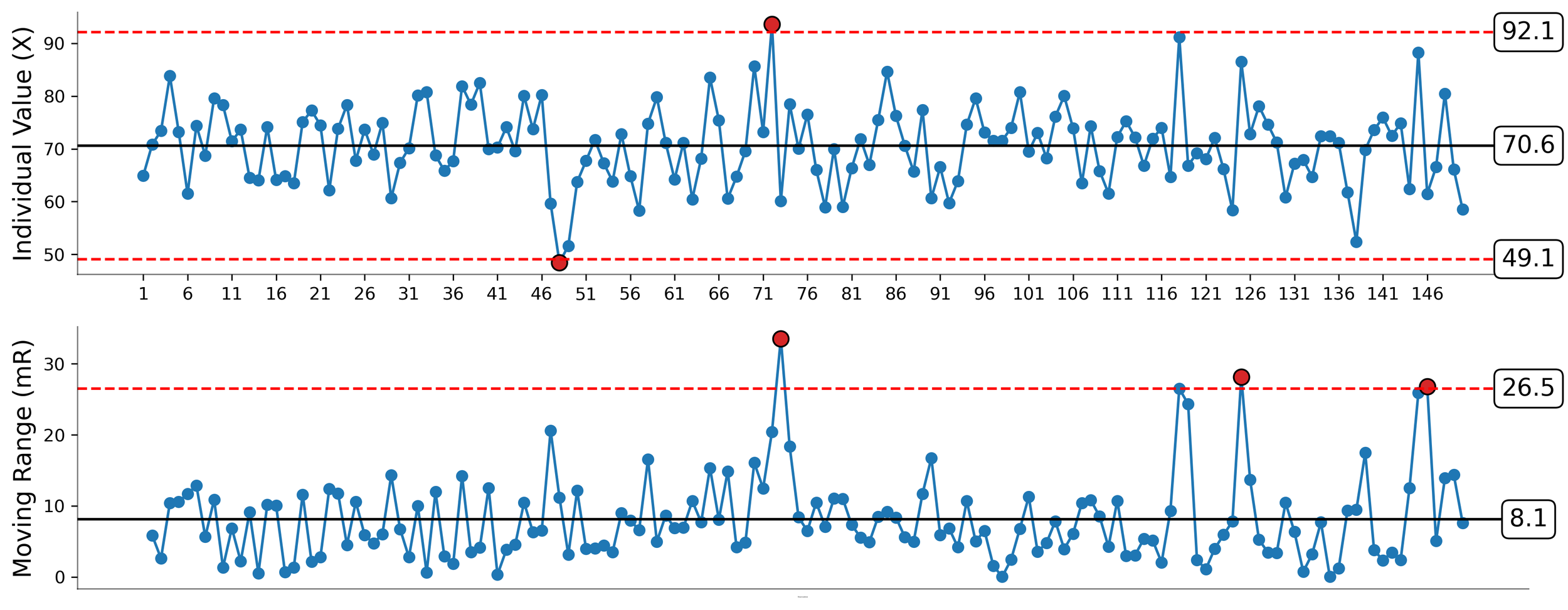
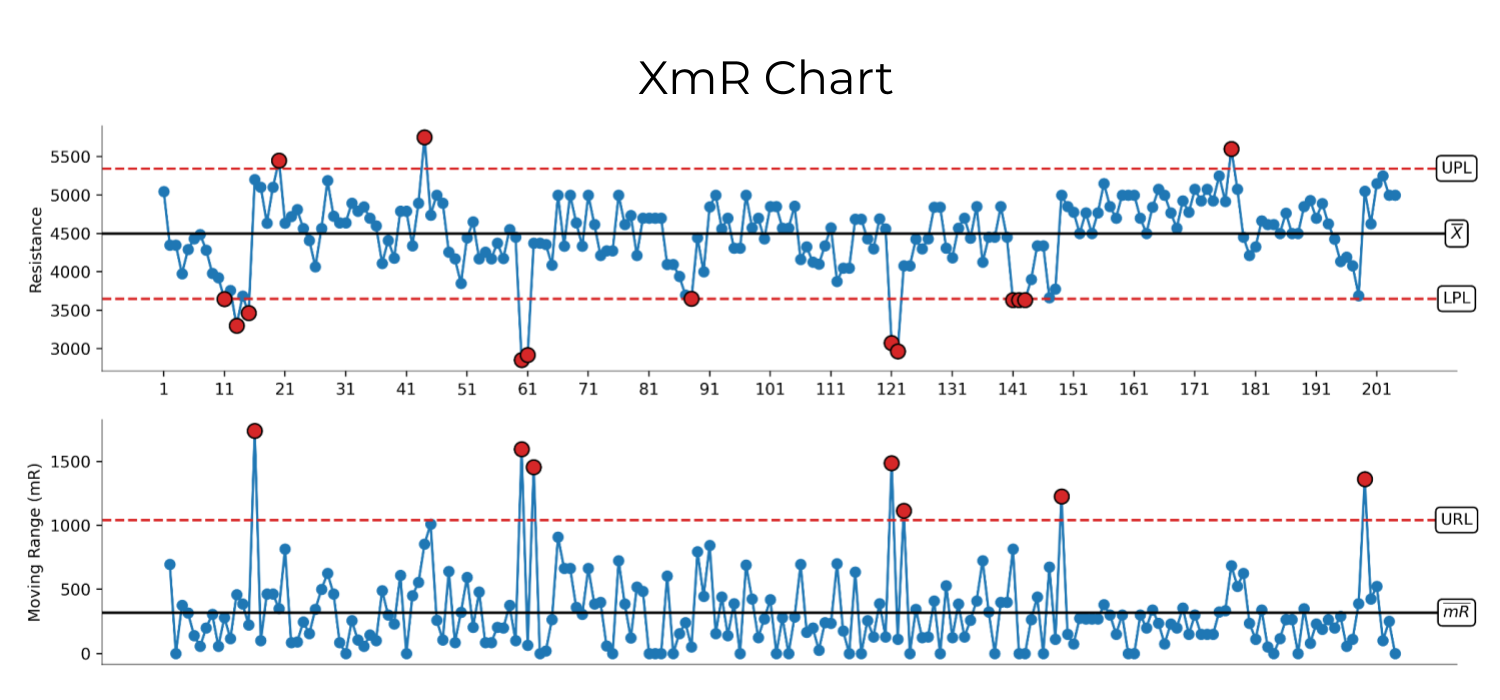
The primary tool of the process_improvement.py package is the process behavior chart for individual values and a moving range called the XmR chart. The library also contains additional modules and functions related to the task of process improvement including capability analysis, network analysis, comparison charts, and limit charts.
Table of contents
Installation
The process_improvement.py library is hosted on PyPi.org, thus it can be installed via pip using the command:
pip install process-improvement
Alternatively, the library can be installed from GitHub using the command:
pip install git+https://github.com/jimlehner/process_improvement
Modules & Import Aliasing
The package contains the following five modules:
xmr_charts: Used for constructing XmR charts
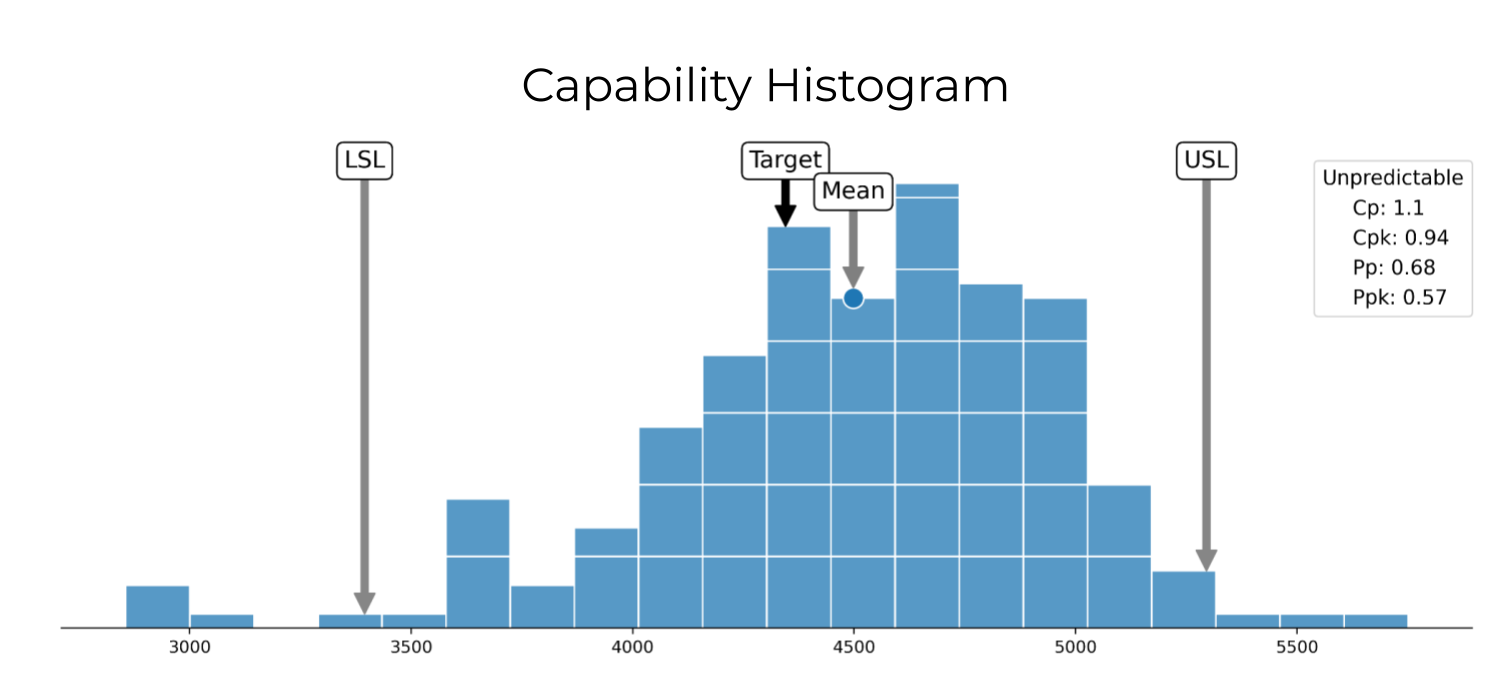
process_capability: Used for calculating process capability indices and visualizing data using capability histograms.
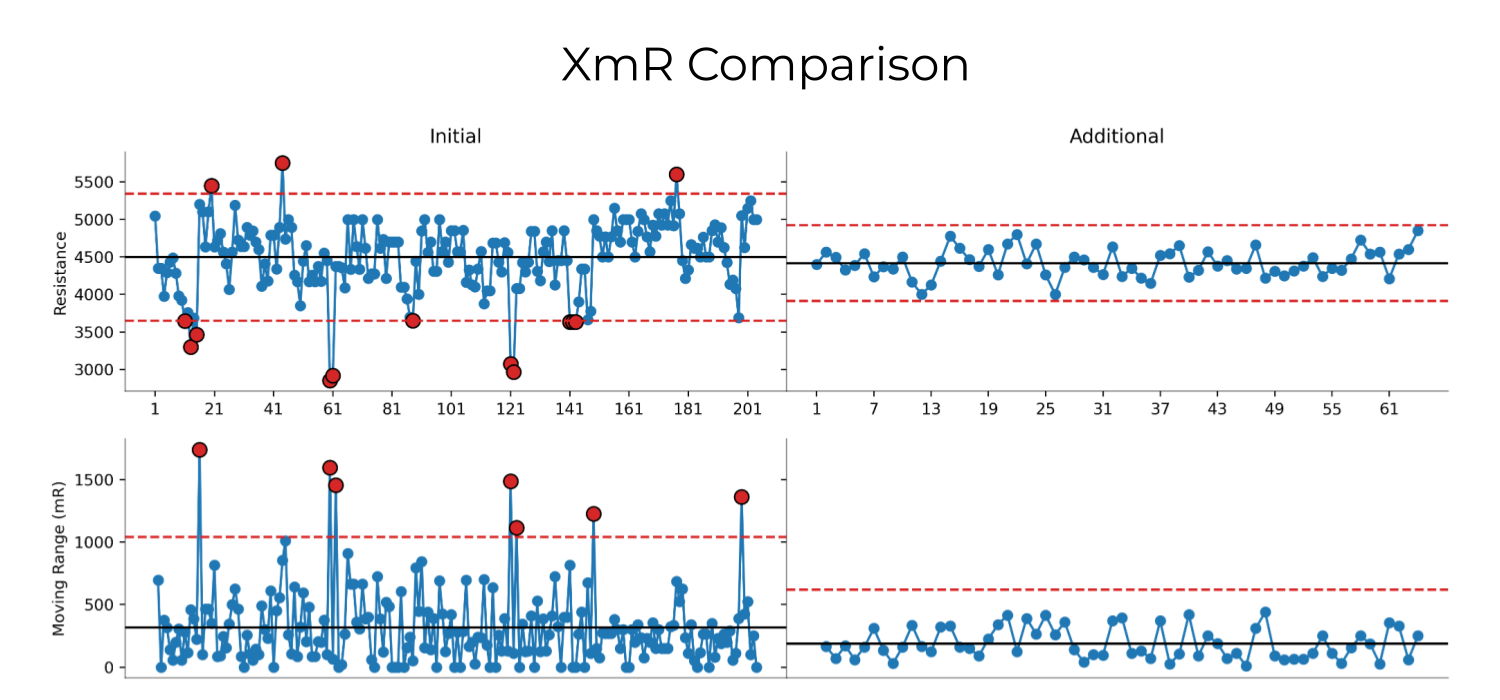
comparison_charts: Used to compare different stages of a process (before vs after) using XmR charts that share a y-axis.
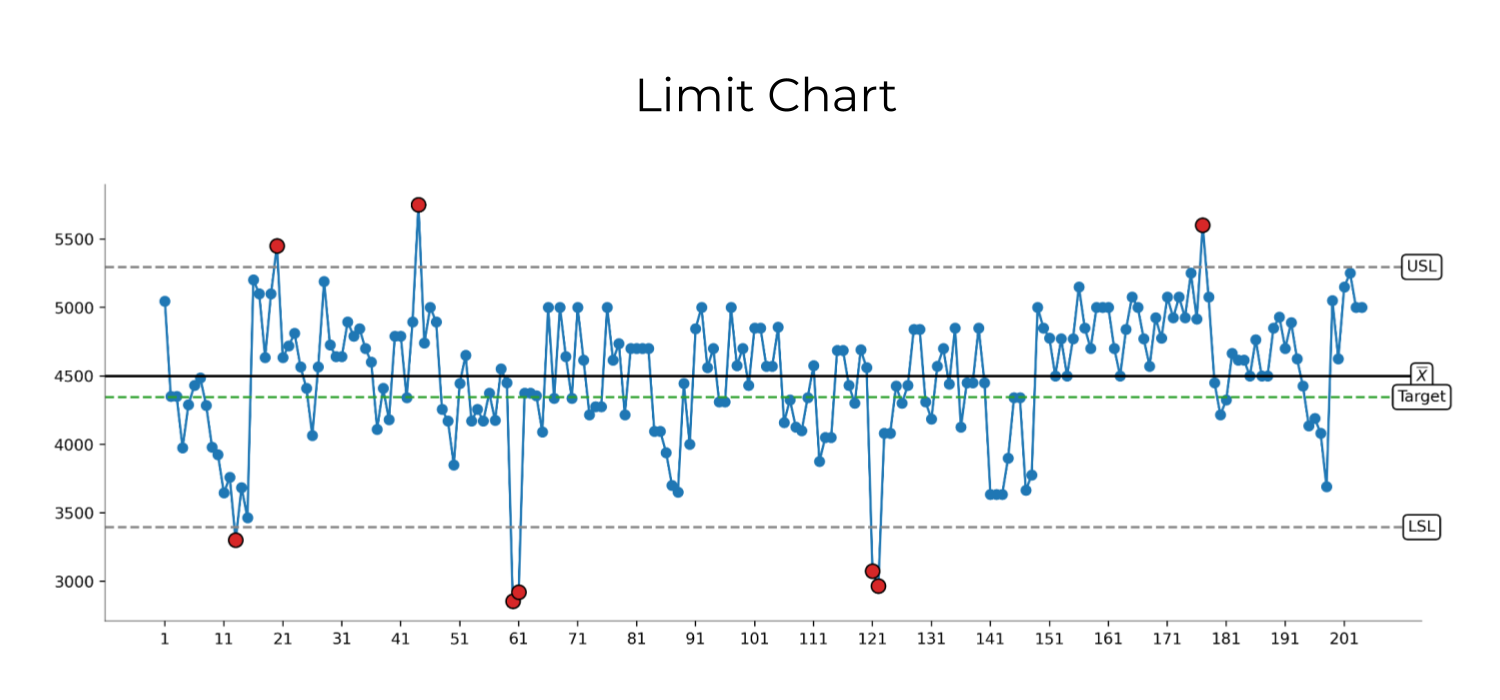
limit_charts: Used to compare process data with specification limits.
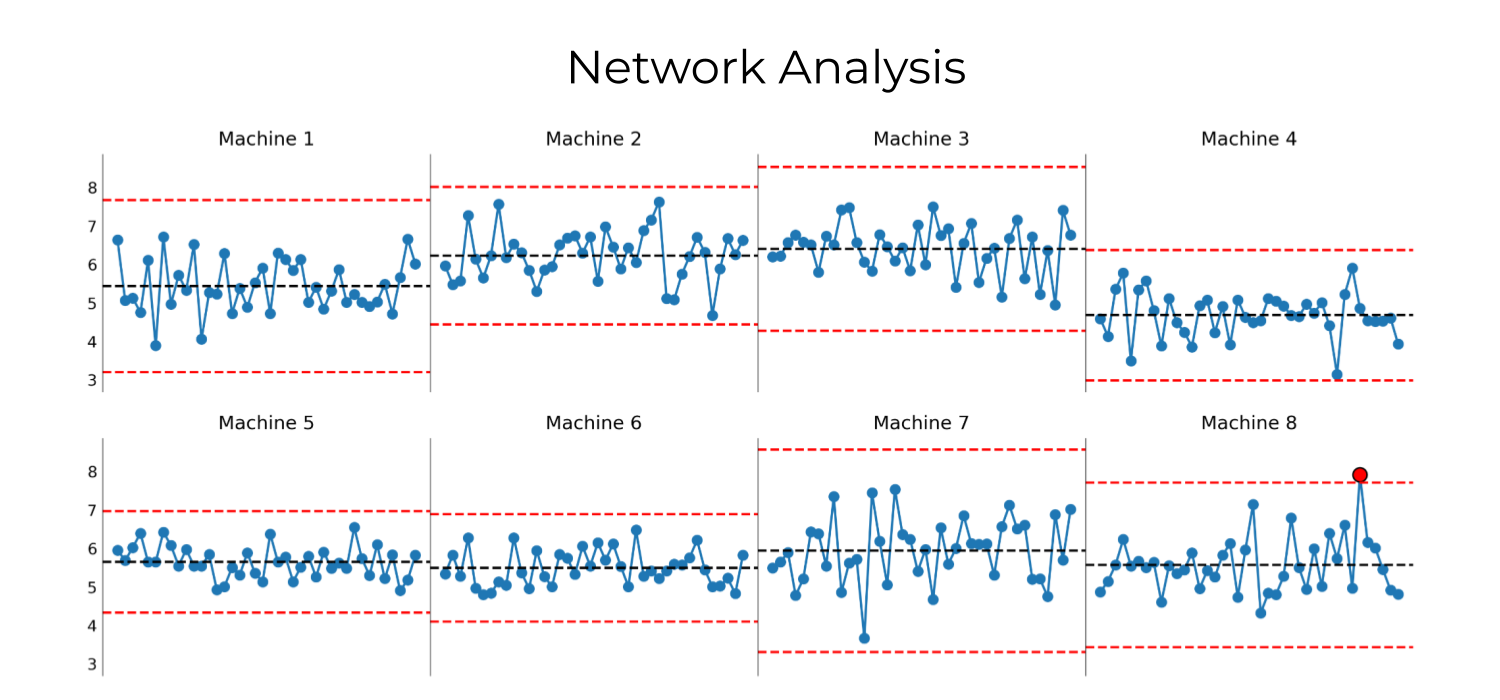
network_analysis: Generates a grid of X charts (small multiples). Used to compare the behavior of multiple process elements that perform the same task or a related task.
The import aliasing for these modules are:
import xmr_charts as xmrimport process_capability as pcimport comparison_charts as ccimport limit_charts as lcimport network_analysis as nc
xmr_charts functions
The xmr_charts module contains three functions:
xmr_chart: Generates XmR chart. When a dataset is composed of logically comparable individual values, the XmR chart reveals the types of data that are acting on a process.Required parameters:
df : pandas.DataFrame
The DataFrame that contains the process measurement values and labels.
values : str
Column of the DataFrame containing the measured values.
x_labels : str
Column of the DataFrame containing the labels for the x-axis of the X chart.
For optional parameters use
help().
xchart: Generates only the X chart (individual values) portion of an XmR chart.Required parameters:
df : pandas.DataFrame
The DataFrame that contains the process measurement values and labels.
values : str
Column of the DataFrame containing the measured values.
x_labels : str
Column of the DataFrame containing the labels for the x-axis of the X chart.
For optional parameters use
help().
mrchart: Generates only the moving range (mR) portion of an XmR chart.Required parameters:
df : pandas.DataFrame
The DataFrame that contains the process measurement values and labels.
values : str
Column of the DataFrame containing the measured values.
x_labels : str
Column of the DataFrame containing the labels for the x-axis of the X chart.
For optional parameters use
help().
process_capability functions
The process_capability module contains three functions:
capability_histogram: Generates a histogram of process data in the context of the specification limits and the option for displaying the process capability indices.Required parameters:
data : pandas.Series
The process measurements to be analyzed.
USL : float
The Upper Specification Limit (USL).
LSL : float
The Lower Specification Limit (LSL).
target : float
The target value for the process.
For optional parameters use
help().
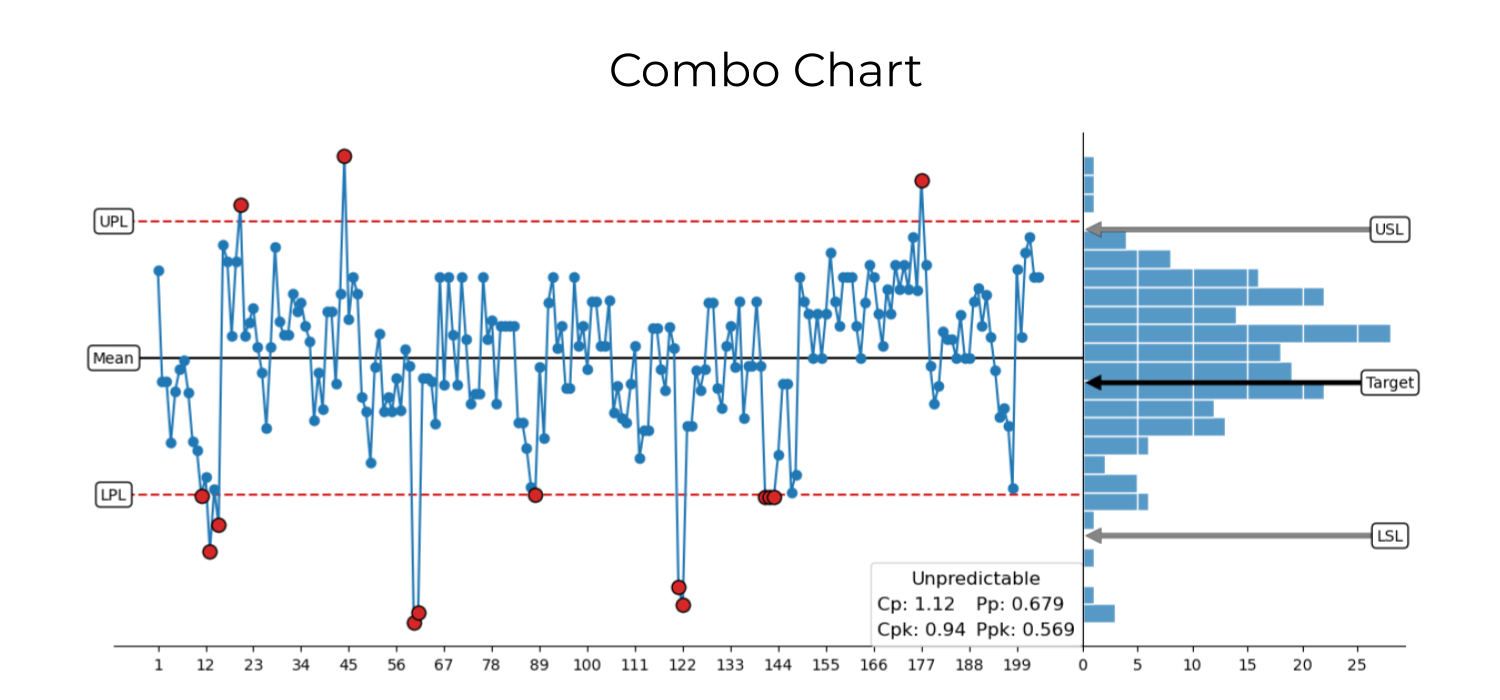
multi_chart: Generates the X chart portion of an XmR chart with a capability histogram.Required parameters:
df : pandas.DataFrame
The DataFrame that contains the process measurement values and labels.
condition_column : str
Name of the column in the DataFrame containing the measured values.
xtick_label_column : str
Name of the column in the DataFrame containing the x-axis tick labels for the X chart.
USL : float
The Upper Specification Limit (USL).
LSL: float
The Lower Specification Limit (LSL).
target : float
The target value for the process.
For optional parameters use
help().
process_capability: Calculates the process capability indices.Required parameters:
data : pandas.Series
The process data to be analyzed.
USL : float
The Upper Specification Limit (USL).
LSL: float
The Lower Specification Limit (LSL).
target : float
The target value for the process.
For optional parameters use
help().
comparison_charts functions
The comparison_charts module generates and compares XmR charts for different process stages. The module contains three functions:
comparison_charts: Generates the type of process behavior chart called an XmR chart. Composed of an X chart and an mR chart, the XmR chart is used when a dataset is composed of logically comparable individual values.
xmr_charts: Generates the type of process behavior chart called an XmR chart. Composed of an X chart and an mR chart, the XmR chart is used when a dataset is composed of logically comparable individual values.
limit_charts functions
The limit_charts module generates a time series of process data in the context of the specification limits. The module contains one function:
limit_chart: Generates a run chart of process data in the context of the specification limits.Required parameters:
df : pandas.DataFrame
DataFrame containing the process data and labels.
values : str or list of str
Column in DataFrame containing the process data.
x_labels : str or list of str
DataFrame column containing the labels for the x-axis tick labels.
USL : float
The Upper Specification Limit (USL).
LSL : float
The Lower Specification Limit (LSL).
target : float
The target value of the process output.
network_analysis functions
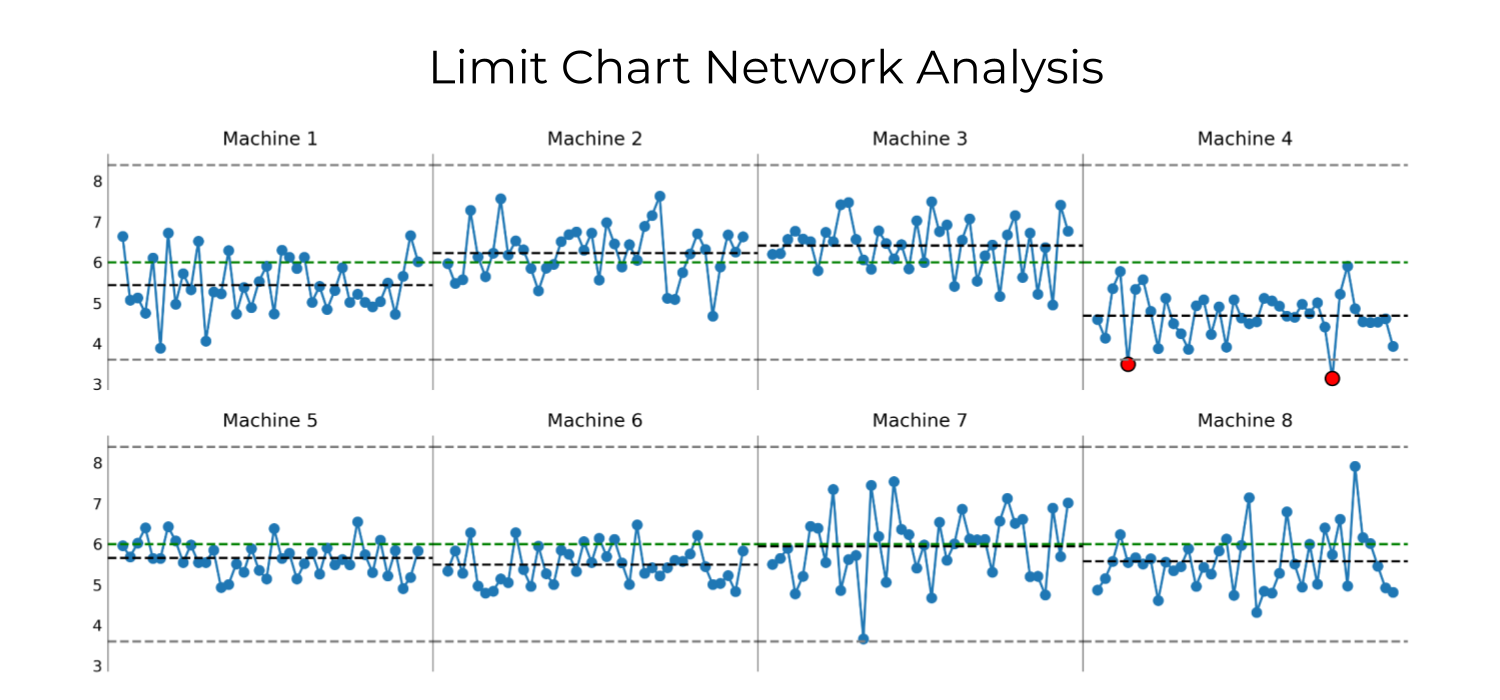
The network_analysis module generates grids of small multiples with dimensions that change to reflect the length of list of the provided DataFrames. The resulting visualizations put multiple process elements performing the same task, elements performing a related task, or sequence of steps that use the same metric into a single field of view. This broad system-level view enables uninterrupted visual reasoning that allows teams to direct their time and attention to where it is needed most.
Network analysis of manufacturing process composed of 8 machines producing the same product.
The network_analysis module contains two functions:
network_analysis: Generates a grid of small multiples composed of X charts.Required parameters:
df_list : list of pandas.DataFrames
List of DataFrames containg the data to be analyzed. DataFrames in list must have the same column names.
condition : str
Column name in the DataFrames to be used for analysis.
label_list : list of str
List of labels corresponding with each element in the grid of small multiples.
limit_chart_network_analysis: Generates a grid of small multiples composed of run charts. These run charts are displayed with the additional context of the specification limits, target, and the mean of the data displayed in each of the small multiples.Required parameters:
df_list : list of pandas.DataFrames
List of DataFrames containg the data to be analyzed. DataFrames in list must have the same column names.
condition : str
Column name in the DataFrames to be used for analysis.
label_list : list of str
List of labels corresponding with each element in the grid of small multiples.
USL : float
The Upper Specification Limit (USL).
LSL : float
The Lower Specification Limit (LSL).
target : float
The target value of the process output.
Contributing
To contribute to process_improvement.py:
Go to
github.com/jimlehner/py-process-improvement.Fork the repository.
Create a branch:
git checkout -b <branch_name>.Make your changes and commit them:
git commit -m '<commit_message>'Push to the original branch:
git push origin <DataDrivenImprovement>/<location>.Create the pull request.
Alternatively, see the GitHub documentation on creating a pull request.